LiteBee Wing
- Designed for children over 8 years of age
- Durable building block structure, easy to build and rebuild; compatible with LEGO® bricks
- Safe for play with failsafe mode and basic propeller guard to help prevent crash injury
- Control range of 100 m, maximum speed of 1,7 m/s, and drone can withstand wind speeds up to 3 m/s
- 3 ways to control
- Smart mode with one-key take off/landing, 360° rotate, and altitude freeze feature
- RGB LEDs, formation, delivery, buzzer, line-following sensor, obstacle sensor, HD camera and more
- Flight time up to 10 minutes
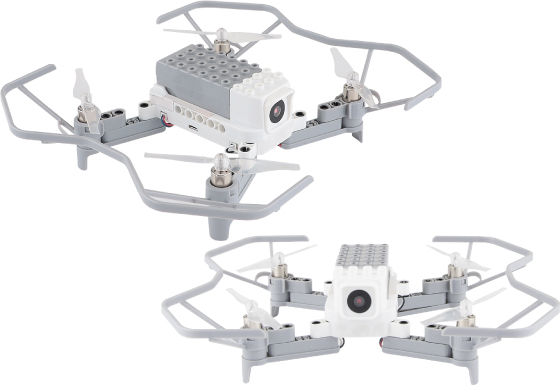
LiteBee Wing is a specially designed programmable drone for children and beginner programmers, ideal for STEAM education as well as home use. Its compact size and durability make it perfect for indoor environments.
Inspired by children’s favorite building activity, it excels thanks to its compatibility with LEGO® bricks. Kids will significantly improve their skills in science, technology, engineering, programming, math, and art through fun games and challenges in building, flying, and programming with Scratch and Python.
Ideal for children from 8 years old
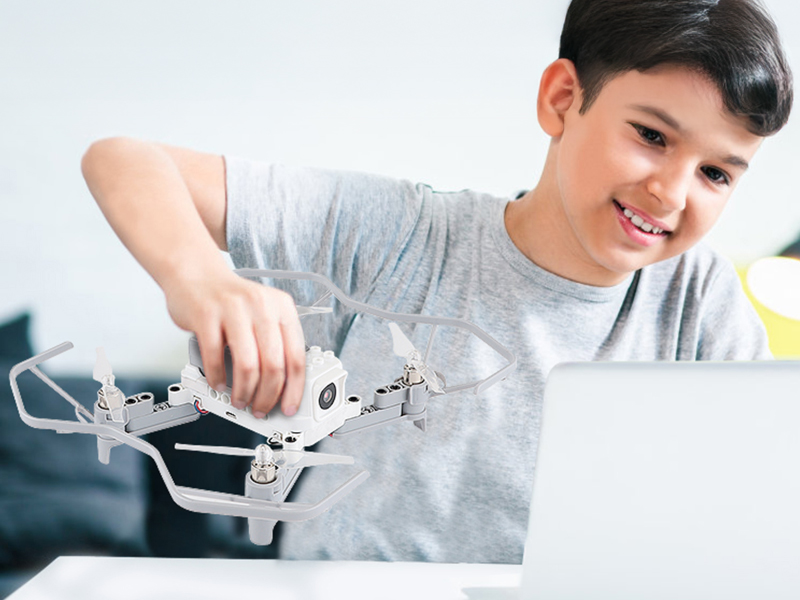
LiteBee Wing opens the door for students to the world of modern technology and programming, combining playfulness with real-world practice.
Teach students the structure and design of drones. The drone is made up of several easily detachable building parts that fit together smoothly. Children assemble the drone themselves and then learn to fly it. The kit offers a failsafe mode and includes a propeller guards to ensure safe use for all ages and minimize the risk of accidents and injuries.
The drones in this set are easy to use and feature 360° rotation, altitude control, and a smart mode for one-touch takeoff and landing. The drone includes an HD camera capable of capturing real-time footage, and you can upgrade it with additional fun accessories such as lights or a peripheral buzzer (sold separately).
Learn to Program a Drone Step by Step
Programming LiteBee Wing drones is fun, interactive, and accessible for everyone – whether you’re just starting out or already writing your own code. With each flight, you can experiment, test new drone reactions, and watch your ideas come to life.
LiteBee Wing offers 3 programming options to suit different skill levels:
-
Radio Controller
LiteBee Wing can be easily controlled using a radio controller, with no complicated setup required – simply turn on the controller and the drone, pair them, and you can start experimenting, testing different maneuvers, and observing how the drone responds to instructions without the need for a computer or tablet. This control method is intuitive and suitable for children and beginner programmers. -
Smartphone with the LiteBee App
LiteBee Wing can also be controlled via the LiteBee mobile app. Once the phone is connected to the drone, it becomes a fully functional controller, allowing intuitive flight control. The app also supports programming the drone using a graphical block editor, making it ideal for learning the basics of coding and logical thinking. In addition to controlling the drone, the app allows you to view a live feed from the drone’s front camera and capture photos and videos.
-
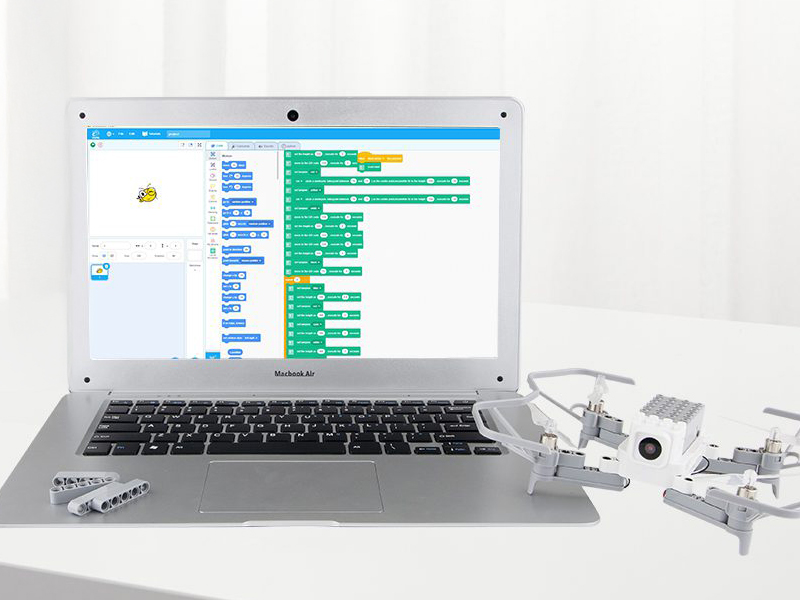
Computer Programming (Block and Python)
LiteBee Wing can also be programmed directly on a computer, offering even greater flexibility and convenience for learning.
By connecting the drone to a computer, students can use visual block programming or advanced Python text coding to experiment with the drone’s movements, reactions, and sensors in real time. This method is perfect for creating more complex flight scenarios, testing algorithms, and linking theoretical knowledge with practical flight experience.
Sensors and smart technologies for safe flight
LiteBee Wing is equipped with modern sensors and smart technologies that ensure a stable and safe flight. Thanks to its integrated sensors, the drone can maintain precise altitude, detect obstacles, and respond to its surroundings, allowing safe experimentation even for beginner pilots. In addition, the drone features an 8MP HD camera with an 88° field of view, enabling high-quality aerial footage.
It also offers functions such as automatic landing and precise 360° rotation, which make controlling the drone much easier and open up possibilities for programming more complex maneuvers. These technologies combine learning with hands-on practice, turning every flight into an engaging experience.
Expand the capabilities of your LiteBee Wing
A variety of modules and accessories are available for the LiteBee Wing drone, expanding its functions and applications in learning.
With the Obstacle avoiding module,the drone can detect obstacles in five directions – front, back, left, right, and beneath – and avoid them
The Electromagnet delivery module allows the drone to carry metal objects, giving children the opportunity to practice programming skills while learning how coding can be applied in real-world tasks.
The Buzzer module can be easily connected to various microcontrollers (Arduino, ESP8266, ESP32) or LEGO sets and used for sound effects during flight or in educational projects.
With the RGB light module, you can create colorful lighting effects that enhance the drone’s visibility and enable creative visual displays during flight. The module allows individual control of each LED strip, with a choice of 16 million colors, and thanks to LEGO compatibility, it can be used not only on the drone but also in other projects.
Fly the formation with LiteBee Wing FM set
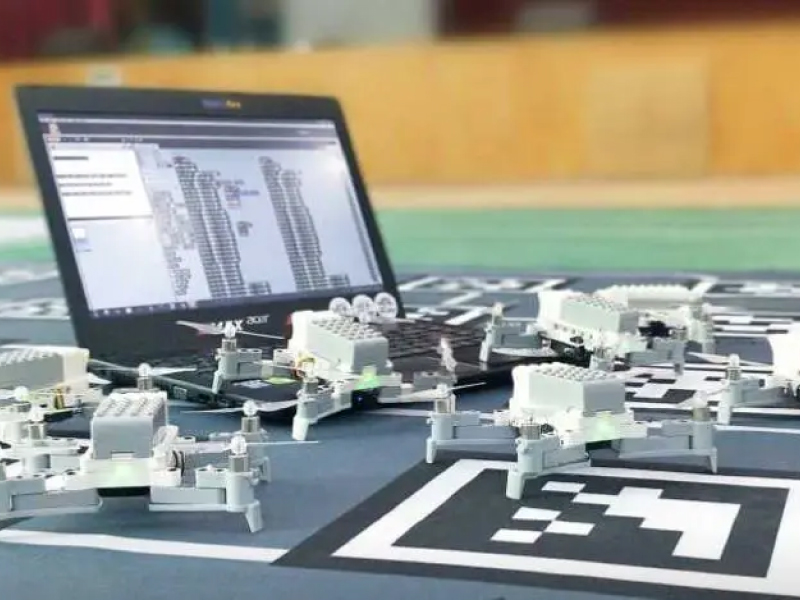
LiteBee Wing FM is a formation set with 4 or 10 drones with complete accessories including spare parts. This set allows kids to explore the exciting world of programming through fun and interactive drone shows.
The key feature of LiteBee Wing FM is its ability to fly in formations. The drones use a special QR carpet (included) that enables precise positioning at takeoff and ensures they return to the same spot when landing. This allows a group of drones to take off simultaneously and perform complex choreographies programmed by the students themselves.
Before flying in real life, students can test their code in a realistic 3D flight simulation. This simulation helps prevent errors, saves battery life, and increases safety during actual flights. Additionally, the drones are equipped with LED modules and buzzers that add light effects and sound signals to their programming, expanding creative possibilities.
LiteBee Wing FM is an ideal tool for STEAM education and programming in schools. Children learn not only the basics of coding and technology but also develop teamwork and spatial thinking as they plan and control aerial formations.
Applications
-
LiteBee App
With the mobile LiteBee App, you can choose between two control options. You can either turn your phone into a fully functional remote controller or program the drone by connecting colorful command blocks
In addition to controlling the drone, the app allows you to view a live feed from the front camera and capture photos and videos. -
LiteBeeGo
For more advanced programming, LiteBeeGo is available as a desktop application compatible with Windows and macOS. It allows users to program the drone using block-based coding or Python, making it ideal for learning advanced programming concepts and algorithms.
LiteBeeGo also supports offline programming, meaning the drone can be programmed and tested without an internet connection.
LiteBee App
The app is free to download and available for iOS and Android devices.


LiteBeeGo
For more details, visit the manufacturer’s website.
Rechargeable battery
LiteBee Wing drones are equipped with a high-performance lithium-polymer battery that provides stable and reliable power during flight. Thanks to optimized energy management, the drone can fly for approximately 10–11 minutes on a single charge, making it ideal for short aerial missions, experimentation, and programming.
The battery is easy to insert and remove, allowing for quick replacement and extended playtime if spare batteries are available.
Connectivity
LiteBee Wing uses Wi‑Fi for both drone control and live camera streaming. Programming via a mobile phone is simple – just search for the drone over Wi‑Fi, connect, and enter the app’s programming interface, where you can create commands and set the drone’s behavior.
For computer-based programming, the radio controller is connected to the PC via a USB cable, the appropriate port is selected, and the controller is switched to programming mode.